Last Updated on 30.03.2026 by Administrator
If you’re searching for a secure and reliable multi-currency crypto wallet, the Trustee Plus Wallet is one of the top choices available in 2025. Designed for both beginners and experienced crypto users, Trustee Plus combines security, usability, and flexibility, offering a smooth and cost-effective experience for managing digital assets.In this comprehensive Trustee Plus Wallet review, we’ll cover everything you need to know — from installation and verification to deposits, withdrawals, and user feedback.
What is Trustee Plus Wallet?
Trustee Plus is a modern multi-currency cryptocurrency wallet that allows users to store, send, receive, and exchange a wide range of cryptocurrencies and fiat currencies. The wallet focuses on zero-fee transactions, user privacy, and fast transfers, making it an excellent option for everyday crypto management.
- Trustee Plus Official Website: https://trusteeglobal.eu
Supported Currencies
Fiat:
- Euro (EUR).
- Ukrainian Hryvnia (UAH).
- Kazakhstani Tenge (KZT).
Cryptocurrencies:
- Bitcoin (BTC), Ethereum (ETH), Litecoin (LTC), Tether (USDT – TRC20, ERC20, Matic), USD Coin (USDC), DAI, TrueUSD (TUSD), Aptos (APT), Stellar (XLM), Polygon (MATIC), Monero (XMR), Dogecoin (DOGE), Tron (TRX), Ethereum Classic (ETC), and others.
With its wide range of supported assets, Trustee Plus enables users to easily diversify their portfolios and manage both crypto and fiat funds in one app. The Trustee Plus crypto wallet offers several key advantages that make it a top choice for cryptocurrency enthusiasts. It provides fast and reliable support for a wide range of currencies, including popular cryptocurrencies and fiat currencies. With no fees on many transactions, users can maximize their savings. The dedicated crypto card enhances usability, allowing seamless transactions through Apple Pay and Google Pay.
Key Features of Trustee Plus:
- Crypto debit card integration: Easily link your crypto card to spend digital assets globally — online, in-store, or while traveling.
- Advanced security: Trustee Plus uses modern encryption and wallet protection technologies to keep your assets safe.
- Instant crypto transfers: Send and receive funds quickly and without restrictions.
- User-friendly interface: Designed for simplicity, Trustee Plus makes managing your portfolio intuitive and accessible.
Trustee Plus is known for its high-quality customer service, ensuring that users receive the support they need whenever they need it. Choose Trustee Plus for a secure and convenient cryptocurrency experience!
How to Download and Install the Trustee Plus App
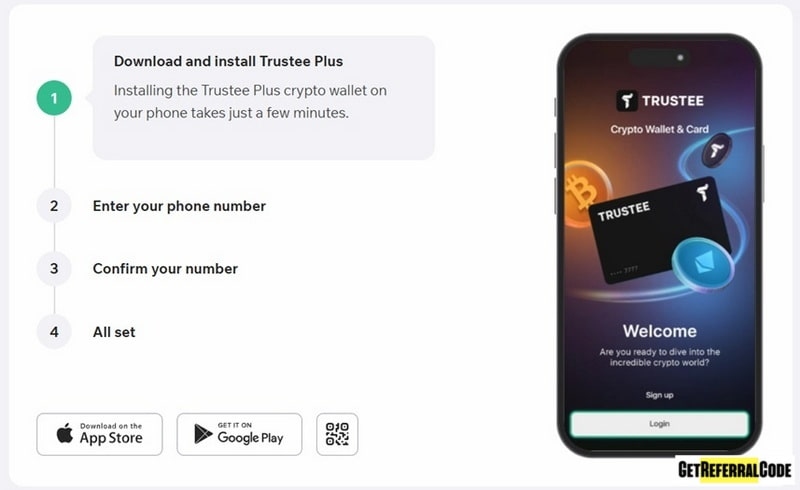
You can download and install the Trustee Plus mobile app in just a few simple steps:
- Visit the official website of the wallet or follow this link.
- Scan the QR code on the main page or menu, or click the link to download the app from the App Store or Google Play.
- Download and install the app on your phone.
Tip: It’s best to download the Trustee Plus app from the official website instead of third-party sites to avoid scams.
Registering a Trustee Plus wallet
Once you’ve installed the Trustee Plus wallet on your phone, you can move on to registration:
- Open the Trustee Plus app on your phone.
- Click the “Register” button.
- Enter your mobile phone number, tick the box to agree to the wallet’s terms of use, and click the “Get SMS code” button.
- Enter the digital code from the SMS message and click the “Register” button.
- Registration is complete, and your registration bonus will be immediately credited to your wallet.
Tip: You can also find step-by-step video instructions on the official Trustee plus YouTube channel.
Verification in Trustee Plus
Verification in Trustee Plus is optional, but after verification, you can access the Trustee crypto card and use the wallet’s bonus and referral programs.
You can verify in Trustee Plus in several ways:
- Through the DIYA app (the fastest option for Ukrainians).
- Upload a photo of your documents (passport, international passport, or driver’s license).
To verify, go to the wallet settings section (in the upper left corner of the app), go to your profile settings, and proceed to verification (the process is very simple and intuitive).
Deposits: How to Add Funds to Trustee Plus
Let’s look at how to deposit USDT into your Trustee Plus wallet as an example:
- Log in to your Trustee Plus wallet.
- Select “Receive” (the “+” icon) in the bottom menu.
- Select “USDT”.
- Select “Wallet address”.
- Select the desired network (for example, TRC20).
- Copy the specified wallet address and transfer USDT to it on the TRC20 network.
- Wait for the funds to appear in your wallet balance.
When depositing assets to your wallet, always pay attention to the minimum top-up amount (shown on the page with the wallet address when topping up), as a smaller amount will not be credited.
How to Send and Transfer Crypto via Trustee plus Wallet
Transferring money and cryptocurrency between Trustee Plus wallets is instant and commission-free.
To send funds to another Trustee Plus user:
- Log in to your wallet.
- Select “Transfer” in the menu.
- Select the desired cryptocurrency.
- Select “Instant transfer to Trustee Plus user”.
- Specify the transfer amount and the recipient’s ID or mobile phone number (the other Trustee Plus wallet user).
- Confirm the transaction.
How to Withdraw Funds or Crypto
Withdrawing money to a bank card, as well as withdrawing cryptocurrency from a Trustee Plus wallet, follows this procedure:
- Log in to your Trustee Plus wallet.
- Select “Transfer” in the menu.
- Select the desired currency or cryptocurrency (for example, we’ll select BTC).
- Select “Transfer to crypto address”.
- Specify the transfer amount and the receiver’s wallet address.
- Confirm the transfer.
The withdrawal fee is always indicated on the withdrawal page in your wallet (the minimum withdrawal amount for each cryptocurrency or fiat currency when withdrawing to a card is also indicated there).
Trustee Plus Crypto Debit Card
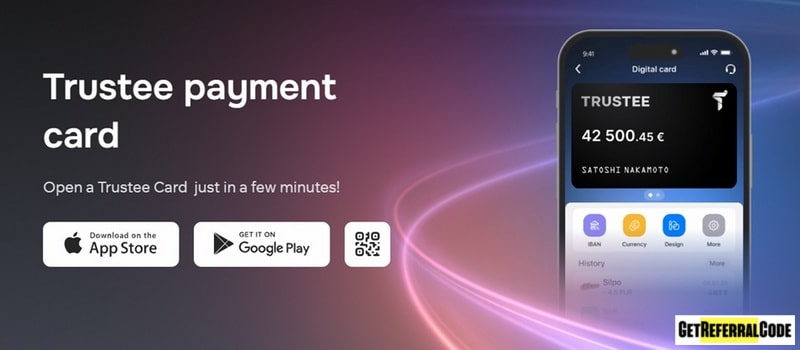
The Trustee Plus crypto card works just like a traditional bank card, letting you make payments easily anywhere, whether online or in stores. Now, you can enjoy the convenience of a virtual crypto Mastercard from Trustee Plus, which can be added to your Apple Pay or Google Pay wallet for smooth smartphone transactions.
With the Trustee Plus crypto card, you can make payments in any fiat currency, as your chosen cryptocurrency will be automatically converted during the transaction. Notably, the card’s base currency is the euro (EUR), offering a simple and efficient way to handle your crypto payments.
EU citizens and residents can obtain a free Quicko Digital Card (a joint product between Trustee Plus and Quicko) and link it to a Trustee Plus wallet for crypto payments.
AML Check Bot — Verify Crypto Compliance
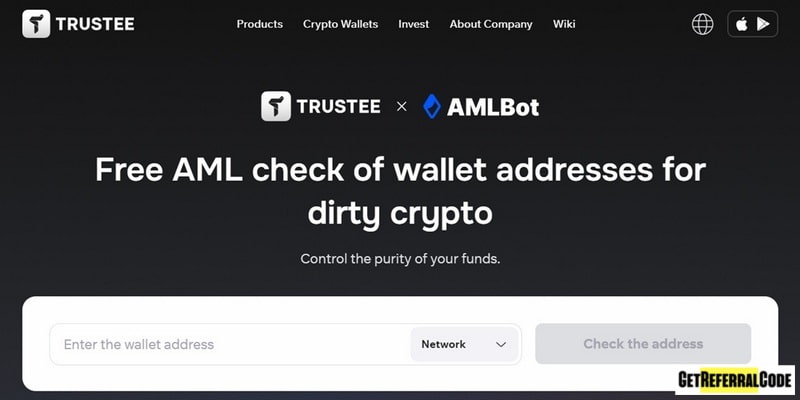
Thanks to the partnership between the Trustee Plus wallet and the AMLBot service, you can quickly and easily check wallet addresses for links to “dirty” cryptocurrency on the BTC, TRX, ETH, and POL blockchains via the “AML Check Bot” page on the official Trustee Plus wallet website.
On the verification page, enter the wallet address (for example, the one you will receive crypto from), select the desired blockchain, and click the verify button. Within a few seconds, you will receive a risk assessment for this wallet address (low, medium, or high).
Trustee Plus Support
Need help? Trustee Plus offers multilingual support:
- Email: contact@trusteeglobal.com
- Phone: +13152267352
- Live chat: In-app support chat
FAQ
- How do I install Trustee Plus on my phone? To install Trustee Plus on your phone, simply download the app through the link provided in this review on the official Trustee Plus wallet website. We strongly recommend using only the official app for security reasons.
- How do I download the Trustee Plus wallet to my PC? It’s important to note that this wallet is specifically designed for mobile devices. Currently, it cannot be installed on a PC or laptop, and a desktop version is still in development with no official release date announced.
- Is Trustee Plus a scam? Can you trust this crypto wallet? If you’re concerned about whether Trustee Plus is trustworthy, rest assured that it is a reputable and reliable multi-currency crypto wallet, officially registered in the EU (Lithuania).
- How do I top up my Trustee Plus wallet? You can add funds to your Trustee Plus wallet using any of the available cryptocurrencies or a bank card (for example, in hryvnia with a Ukrainian bank card).
- In which countries is the Trustee Plus wallet available? Trustee Plus is accessible in nearly all countries, excluding those under sanctions such as Russia, Belarus, Iran, and Afghanistan. The Trustee Plus wallet and card can be used in the following countries: Armenia, Kazakhstan, Georgia, Moldova, the USA, Brazil, Thailand, Ukraine, the EU (Austria, Belgium, Bulgaria, Croatia, Cyprus, the Czech Republic, Denmark, Malta, Germany, France, Greece, Spain, the Netherlands, Ireland, Lithuania, Luxembourg, Poland, Portugal, Romania, Slovakia, Slovenia, Estonia, Finland, Latvia, Hungary, Italy), and many others.
- Who owns Trustee Plus? Trustee Plus is owned by Ukrainians Vadim Grusha (CEO) and Ksenia Zhitomirskaya (CTO). What is the minimum age to use Trustee Plus? The Trustee Plus wallet is meant for adults (over 18 years old).
Trustee Plus Crypto Wallet Pros and Cons
Pros
- A high-quality mobile multi-currency crypto wallet.
- Highly secure and reliable (officially registered in Lithuania, with a professional team of developers working in the crypto industry since 2016).
- Can be used without verification.
- Zero fees on many transactions (0% fee for stablecoin exchanges in the wallet, 0% fee for crypto card payments and maintenance).
- You can purchase cryptocurrency directly in the wallet using a bank card and withdraw funds to bank cards (Visa, Mastercard) via a P2P exchange.
- A fast cryptocurrency exchange is available at a favorable rate.
- Funds can be transferred between Trustee Plus wallets using a phone number (instantly and commission-free).
- A personal IBAN account is available for quick deposits and withdrawals of euros (EUR) from the wallet (located in the EUR wallet deposit section).
- Free AML checks are available for wallets on the BTC, TRX, ETH, and POL networks.
- Trustee Plus offers a lucrative bonus and referral program.
- The Trustee crypto card can be used for cashless payments via Apple Pay and Google Pay from your phone.
Cons
- Verification is required to access some wallet features.
Conclusion
After thoroughly examining the Trustee Plus wallet, it’s clear that it stands out as one of the premier multi-currency crypto wallets available today. This wallet provides an impressive array of features, including the ability to conduct numerous transactions with zero fees, making it a cost-effective choice for users. Additionally, Trustee Plus places minimal restrictions on transactions, allowing for a smooth and flexible user experience.
One of the standout features of Trustee Plus is the option to order a crypto debit card, which enables users to make quick and convenient payments worldwide. This card seamlessly integrates with the wallet, making it easy to spend your cryptocurrency in everyday transactions or while traveling internationally.
Overall, Trustee Plus is designed for both seasoned crypto investors and newcomers alike, with a user-friendly interface and robust security measures to protect your assets. If you have experience using this wallet or have any questions about its features, I encourage you to share your feedback on Trustee Plus in the comments below. Your insights could be valuable for others considering this wallet!