Last Updated on 15.10.2025 by Administrator
In June 2025, Trustee Plus and Quicko announced the launch of a joint payment card, Quicko Digital Card. So, let’s take a closer look at what this card is and why you may need it. We will show you how to get a virtual Quicko Digital Card, link it to your Trustee Plus wallet, deposit cash, and make payments in cryptocurrency. We will provide a detailed overview of the card’s tariffs, along with reviews of the Quicko Digital Card from users in the EU and other countries.What is Quicko Digital Card?
Quicko Digital Card is an advanced virtual card designed for fast and convenient cryptocurrency payments in real life, powered by Trustee Plus, Quicko, and the MasterCard payment network.
- Trustee Plus Official Website: https://trusteeglobal.eu
- Quicko Official Website: https://qdcard.io
The Quicko Digital Card is an innovative virtual card that streamlines cryptocurrency transactions for everyday use. It allows users to make quick and secure payments in real life using their digital currencies. By leveraging the extensive MasterCard payment network, the Quicko Digital Card provides unparalleled convenience, enabling users to easily integrate cryptocurrency into their daily spending habits. Whether you’re shopping online or in-store, this card transforms the way you use digital assets in the real world.
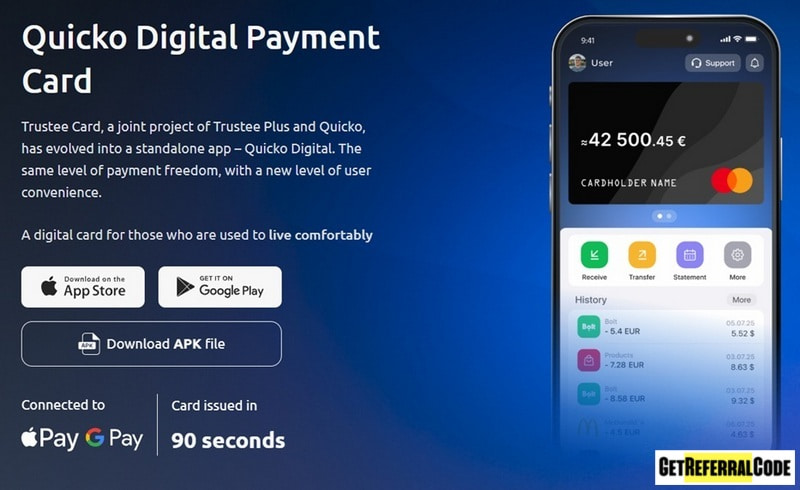
The Quicko payment card is a joint project of the popular crypto wallet Trustee Plus and the Quicko company, and was created to replace the Trustee Card cryptocurrency card.
How to get a Quicko Digital Card and link it to your Trustee Plus wallet
The Quicko Digital virtual card is completely free to apply for, but verification to receive the card is only possible with an EU (European Union) resident passport, an international passport, ID card, or EU residence permit.
You can get a Quicko Digital Card in the following order:
- Download the Trustee wallet mobile app from the official website and register for an account in Trustee Plus.
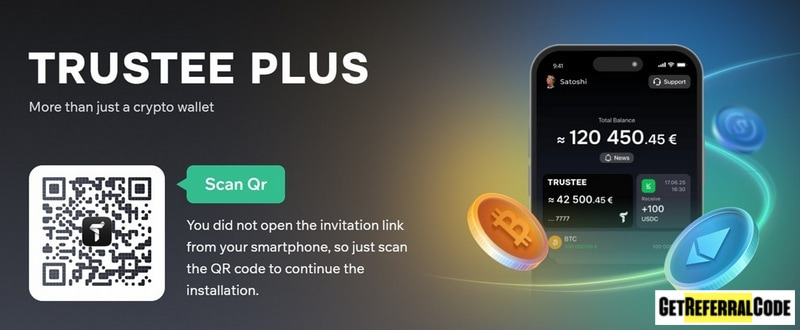
- Go to the Quicko website: https://qdcard.io
- Follow the link on the main page to install the mobile wallet application “Quicko Digital” via Google Play or App Store.
- To get started with the Trustee Plus wallet, first, log in using the mobile phone number you registered with. This step will enable you to link your card to the wallet, allowing you to make deposits and use cryptocurrency for payments.
- On the main screen of the Trustee Plus app, tap on “Card” and then select “Link” to proceed. You’ll need to enter the ID from your Quicko account to continue.
- Next, open the “Quicko Digital” app and select the option to “Issue a card”. Make sure to check the box to accept the terms of use, then click the “Next” button.
- When prompted, choose the “Virtual card” type and hit “Next.” After a few minutes, you’ll receive your virtual card. You can then easily add it to your Google Pay or Apple Pay wallet on your phone for convenient access.
You can deposit cash to a Quicko Digital card using the card number in euros, just like you would with a regular bank card. Additionally, you can also deposit cryptocurrency such as USDC, ETH, or BTC from your Trustee Plus wallet, and the funds will be automatically converted to euros.
Quicko Digital Card Tariffs (Fees and Limits)
- Issuing of Quicko Digital Card = free.
- Card service fee = 0%.
- Fee for card payments = 0%.
- Fee for depositing the card with crypto = 0%.
- Fee for converting crypto into euro = 0.5%.
- Fee for cash withdrawal at ATM = 1.5% + 1 EUR.
- Cash withdrawal limit (per day) = 2,000 EUR.
- Cash withdrawal limit (per month) = 10,000 EUR.
Quicko Card validity period is 5 years.
Pros and Cons of the Quicko Digital Card
Pros of using Quicko Digital Card
- A premium payment card designed for cryptocurrency transactions within the EU, brought to you by the trusted projects Trustee Plus and Quicko.
- Favorable rates can greatly benefit individuals by offering low fees alongside high transaction limits.
- The registration process for a virtual card is straightforward and fast.
- The card is a debit card (without credit funds) from the popular MasterCard payment system.
Cons of using Quicko Digital Card
- This service is available exclusively for EU citizens or residents.
- The selection of cryptocurrencies for deposits is limited.
- To order and link the card to your crypto wallet, you need to install two apps: Quicko Digital and Trustee Plus.
FAQ
- Why do you need a Quicko Digital card? The Quicko Digital card serves as a convenient alternative to the widely used Trustee Plus crypto card, designed specifically for seamless cryptocurrency payments in everyday scenarios. It simplifies the process of using digital currencies for daily transactions, making it easier for users to manage their finances.
- How much does it cost to get a Quicko Digital Card? You can get a virtual Quicko Digital Card for free (though this service may transition to a paid model in the future).
- How do I order a physical (plastic) Quicko Digital card? It’s important to note that there isn’t a physical card available. Instead, Quicko provides a virtual card. If you need assistance with anything else, feel free to ask!
- Is it possible to pay with a Quicko Digital card outside of Europe? Yes, you can pay with a Quicko Digital card outside of Europe. The card is accepted in various countries, and when you make a payment, the euros from your card balance will be automatically converted to the local currency.
Conclusion
The introduction of the Quicko Digital card has left many users of the Trustee Plus wallet underwhelmed, especially after the suspension of transactions for the Trustee Plus Card crypto cards were suspended. Instead of an upgrade, users now face the challenge of needing to download and manage an extra application alongside the existing Trustee Plus wallet, which can be inconvenient. Looking ahead, the Quicko Digital card could potentially become a better alternative to the Trustee card. However, this will require significant improvements and user-focused development over time.
If you’ve used the Quicko Digital crypto card in EU (Austria, Belgium, Bulgaria, Croatia, Republic of Cyprus, Czechia, Denmark, Estonia, Finland, France, Germany, Greece, Hungary, Ireland, Italy, Latvia, Lithuania, Luxembourg, Malta, Netherlands, Poland, Portugal, Romania, Slovakia, Slovenia, Spain, Sweden), sharing your insights and tips would be extremely helpful for the community. Your feedback can help others navigate this new tool effectively.